Vocal Remover and Stem Splitting Guide
Introduction
MusicArt provides two different audio separation tools depending on how you want to reuse a song.
Vocal Remover focuses on isolating vocals or instrumentals, while Stem Splitter divides a track into multiple individual parts such as drums, bass, vocals, and other instruments.
Getting Started
1 Choose a separation mode
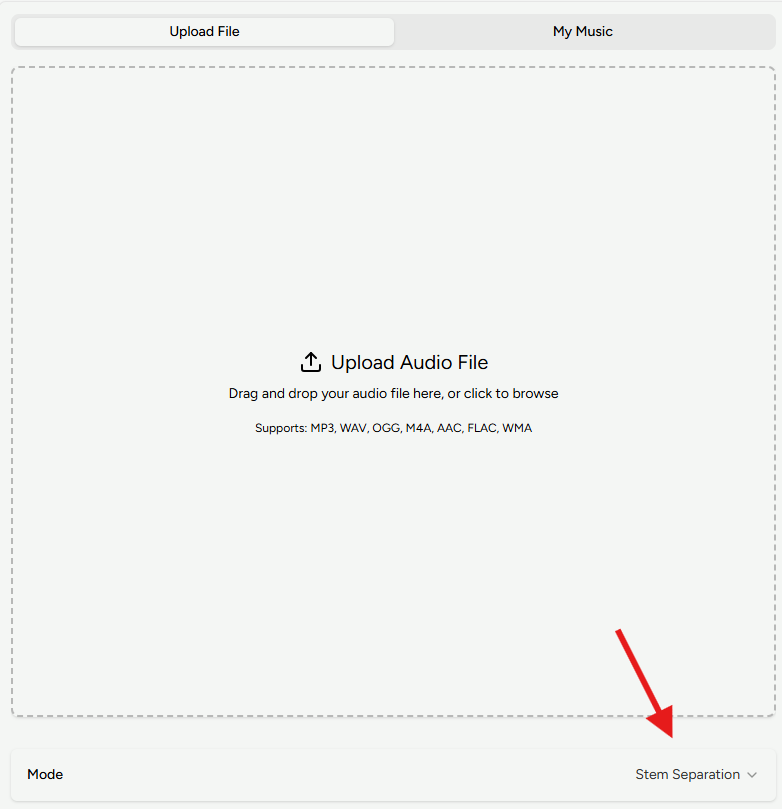
Open either Vocal Remover or Stem Splitter to enter that mode directly. You can also switch between Vocal and Stem modes at any time using the “Mode” option.
2 Upload your audio and start splitting
Upload an audio file or select a song from My Music in your workspace, then start the separation process.
In most cases, MusicArt finishes processing within about 1–2 minutes.
3 Preview adjust and download
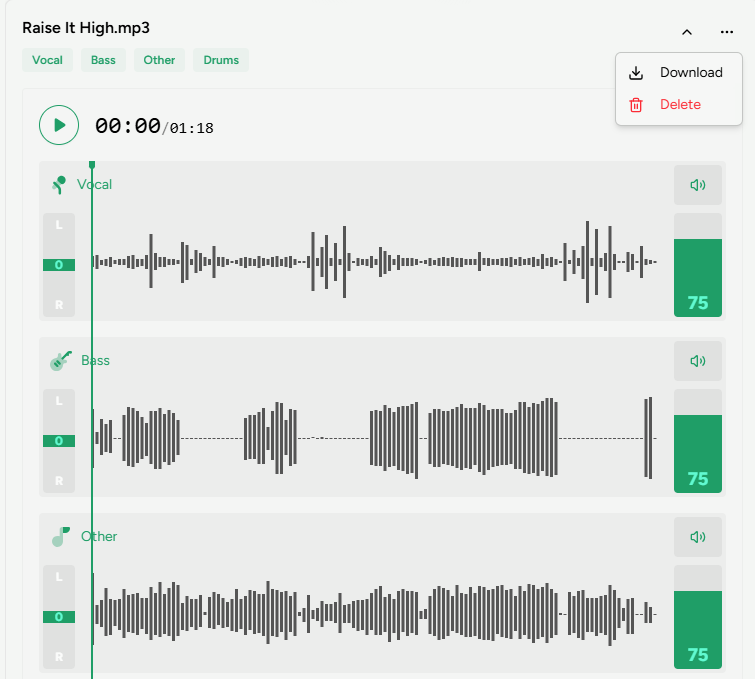
After processing, the separated tracks appear in the History panel on the right.
Preview each stem and adjust individual volumes to check separation quality.
When you are satisfied, click the three-dot menu and choose Download.