MusicArt Song Creation Guide
Step 1: Open the AI Music Generator
Go to the AI Music Generator page at Music Generator.
This is the main workspace where you create, preview, and manage all AI-generated songs.
Step 2: Choose a generation mode
MusicArt provides two primary methods for creating songs:
Prompt mode
Describe the music you want by entering details such as genre, mood, instruments, atmosphere, and vocal gender.
After clicking Generate, the AI automatically creates both the music and the lyrics based on your description.
Own lyrics mode
Paste your own lyrics, or click Auto Generate to let the system write lyrics for you.
If you want more control over wording and structure, you can first use the AI Lyrics Generator to prepare lyrics before generating the song.
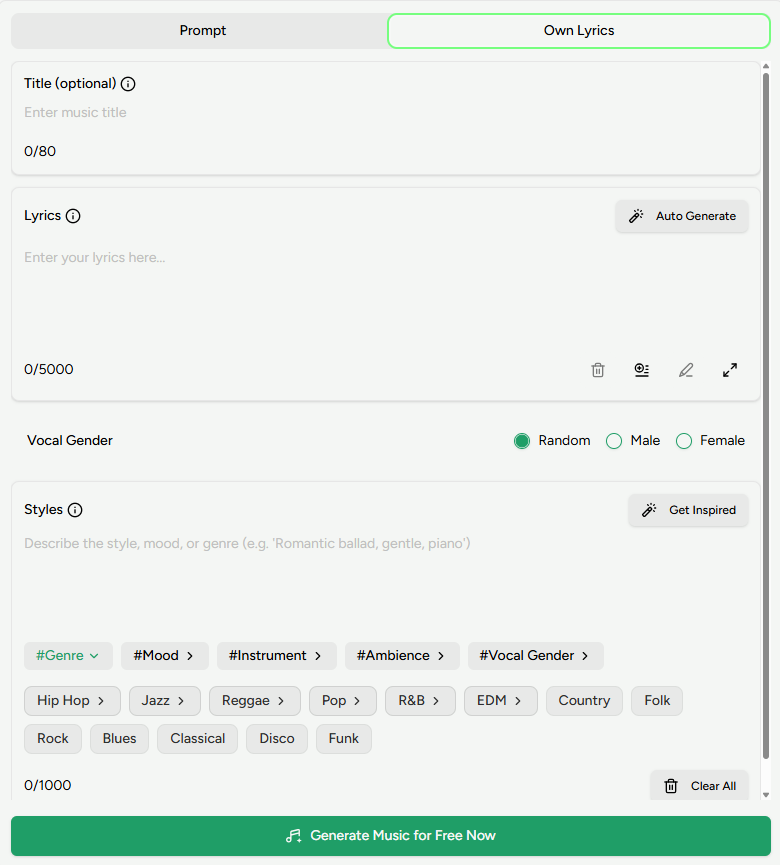
Even when using your own lyrics, you can still adjust genre, mood, instruments, atmosphere, and vocal gender.
If you need inspiration, click Get Inspired to browse suggested styles and ideas.
Step 3: Generate your song
Once your settings and lyrics are ready, click the Generate button.
In most cases, MusicArt completes the song within 1–2 minutes.
Step 4: Review your song in the workspace
After generation, your track appears in the workspace panel on the right.
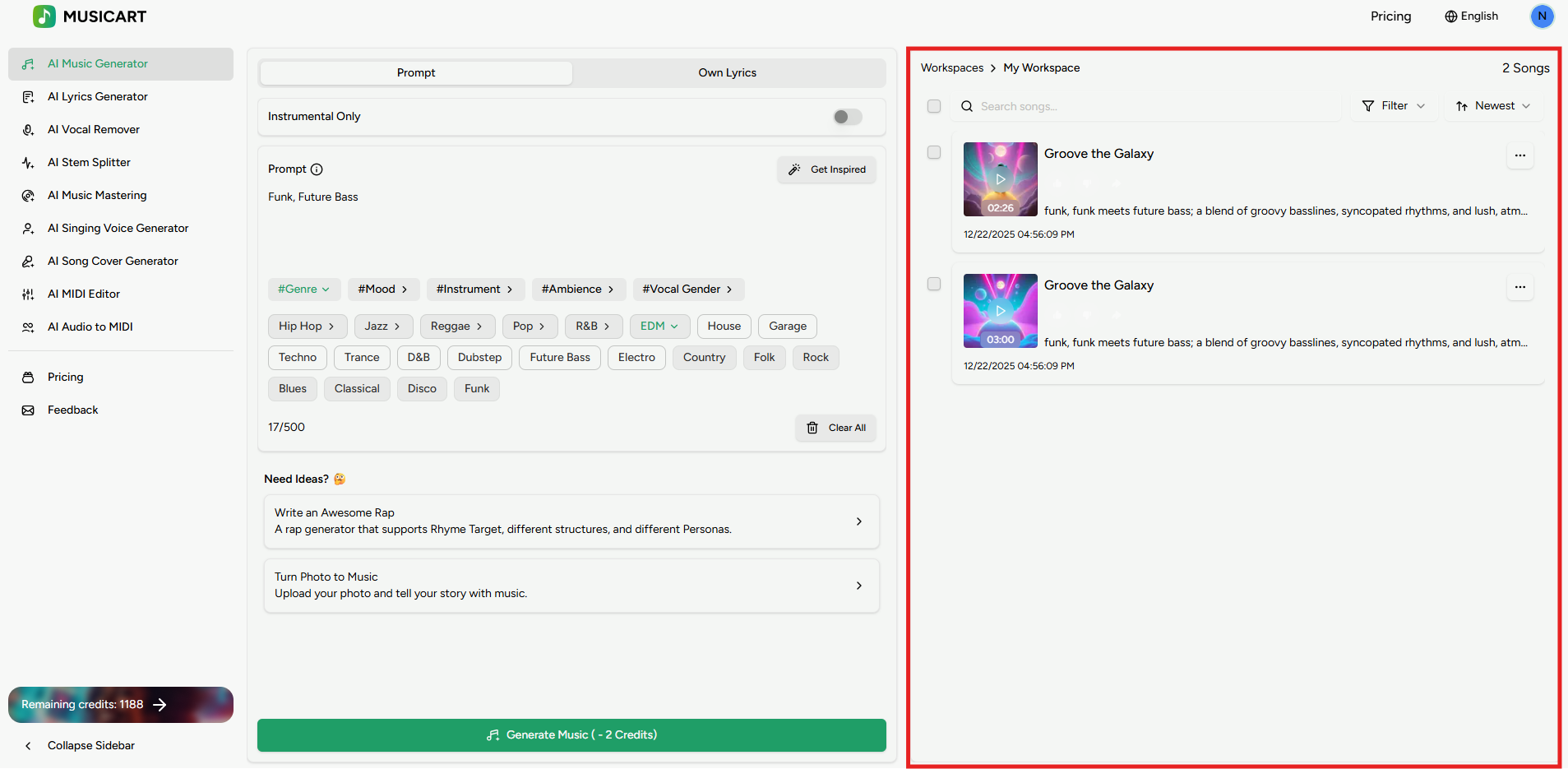
From the workspace, you can:
- Play the song directly in your browser
- Download the audio file
- View the complete lyrics
- Remix or extend the track
- Mark songs as Like or Dislike to organize your library