Late Night Trap
PromptDark trap beat for a rap verse, 140 BPM, punchy 808 bass, crisp hi-hat rolls, eerie bell melody, no vocals
Type the beat you hear in your head, from a dark trap loop to a dusty boom bap groove, and get two instrumental versions in Safari or Chrome with nothing to install on your MacBook.
Make a Beat NowBoth beats started as one sentence typed into the Prompt box with Instrumental Only switched on. No chords were picked by hand and no notes were drawn.
PromptDark trap beat for a rap verse, 140 BPM, punchy 808 bass, crisp hi-hat rolls, eerie bell melody, no vocals
PromptLaid-back boom bap hip hop beat, 88 BPM, dusty vinyl drums, warm Rhodes chords, upright bass line, short jazzy sax sample, no vocals
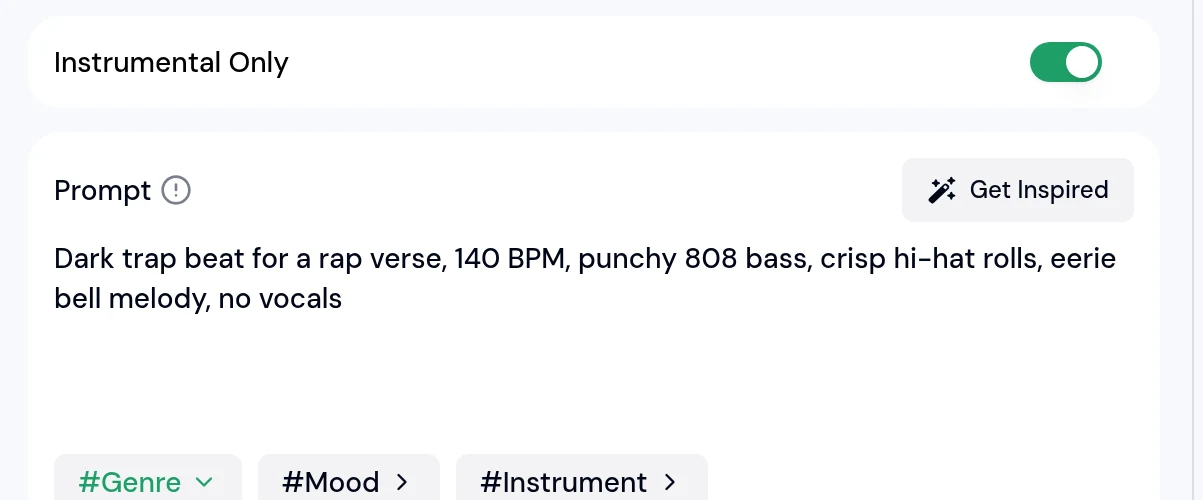
If a full DAW looks overwhelming, start with words. This is how Late Night Trap was made on a MacBook.
Beginners often say chord progressions and melodies are the hard part. In this best beat maker for Mac, the words you type do that job.
| Part of the beat | In a DAW you would | Here you type |
|---|---|---|
| Tempo | Counting BPM and setting a grid | 140 BPM, or slow and laid-back |
| Drums | Programming kicks, snares and hi-hats | punchy 808 bass, crisp hi-hat rolls |
| Chords | Building a progression in a key | warm Rhodes chords |
| Melody | Writing notes on a scale | eerie bell melody, jazzy sax sample |
| Feel | Swing, velocity and sound design | dark, dusty vinyl, upbeat |
Many beginners want to find out if they enjoy making beats before they commit to studio software or fill up an older MacBook.
Open it in Safari or Chrome on any MacBook, iMac or Mac mini.
Beats are generated online, so there are no gigabytes of samples or plugins on your disk.
Your Mac plays the result back. It does not have to render synths or effects in real time.
Make a few beats first and decide later if you want a full studio app.

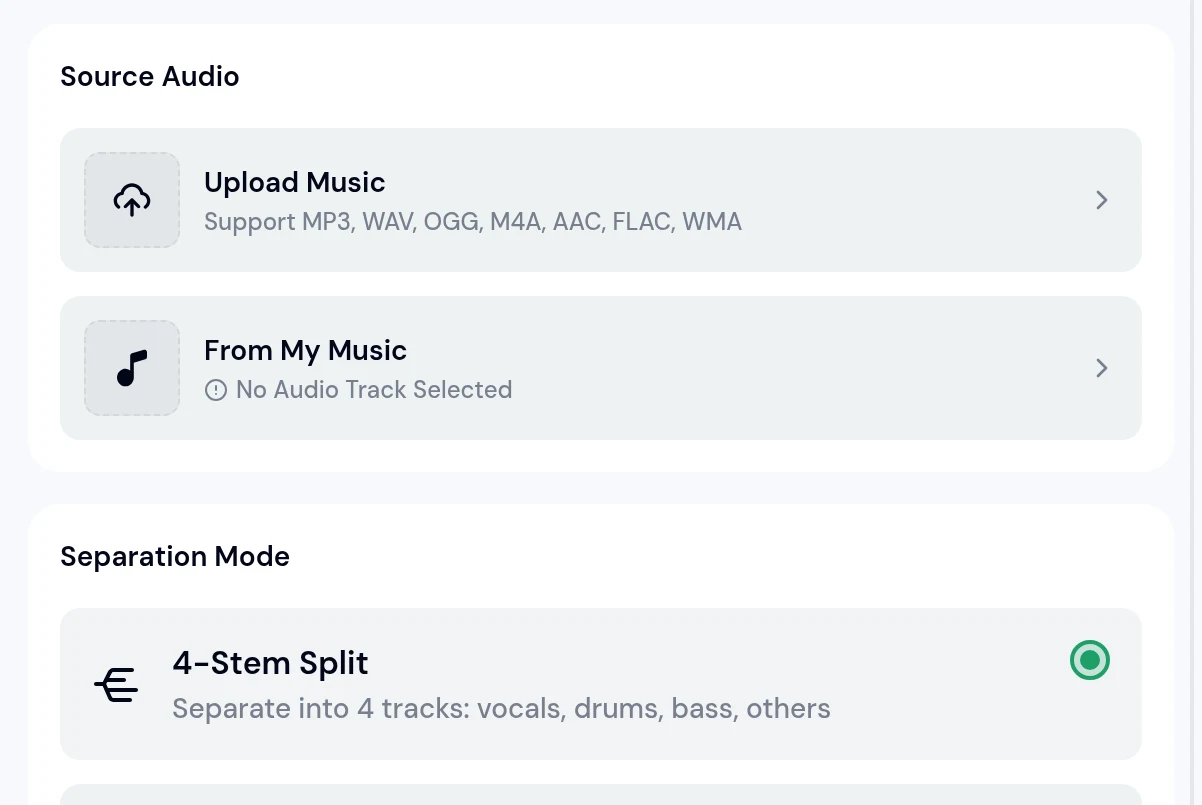
When you want a singer on a beat from the best beat maker for Mac, or your own guitar on top, take it apart. AI Stem Splitter can load a track straight from My Music.
4 stems (vocals, drums, bass, others), 6 stems with guitar and piano, or a 12-stem split.
Turn the bass line or melody into MIDI and edit it in the MIDI Editor or your DAW.
Drag the WAV stems onto tracks, add your guitar or vocals and mix.
Stems and MIDI files drop straight into GarageBand or Logic tracks, ready to edit.
Reddit threads are full of beginners stuck between FL Studio, Ableton and Logic. You do not have to pick one before your first beat.
Many producers use both: sketch the idea here, then finish the stems in the DAW they like.
One that lets you finish a beat on day one. Music Beat Maker turns a typed description into two instrumental versions in Safari or Chrome, so you can learn what you like before choosing a DAW.
No. It runs in the browser, and the beats are generated online, so nothing is added to your disk except the files you download.
Yes. Download the beat, or split it into stems with AI Stem Splitter, and drag the files onto tracks in GarageBand or Logic.
No. Describe the genre, tempo, drums and sounds in plain words, and the chords and melody are written for you.
Split the beat into stems with AI Stem Splitter or turn it into MIDI with Audio to MIDI, then edit each hit in MIDI Editor or your DAW.
Yes. Switch on Instrumental Only before you generate and the result has no vocals.
Type one sentence about your beat and hear two versions in your browser.
Make a Beat Now