Sketch a full track from a prompt
AI Music Generator writes a complete song or instrumental from a text prompt.
- Example
- cinematic synthwave, driving drums, warm analog bass, female vocal
- Result
- A finished track you can play and share right away.
The best AI for music production helps at every stage. It writes the first version, splits songs into stems, reworks lyrics and style, and masters the mix. Pick a track on the right to hear what MusicArt produced from one prompt.
melodic dubstep song, emotional female vocal, soft piano verse, rising build up, powerful wobble bass drop after each build, half time drums, uplifting
ResultA full vocal track with a piano verse, rising builds and a wobble bass drop.
Tap play to load this track again
riddim dubstep, minimal and heavy, repetitive metallic wobble bass, half time drums with a hard snare, dark and aggressive, short build up into a massive drop, instrumental
ResultA dark instrumental built around one massive drop.
Tap play to load this track again
tender acoustic folk love song, warm male vocal, fingerpicked acoustic guitar, soft cello, gentle brushed drums, longing and hopeful, bittersweet
ResultA quiet folk song about loving someone nine hours away.
Tap play to load this track again
Producers ask an AI to do five jobs. Here is the tool on MusicArt for each one, with an example to try and what comes back.
AI Music Generator writes a complete song or instrumental from a text prompt.
AI Stem Splitter separates vocals, drums, bass and more for a remix or an edit.
AI Music Editor replaces selected lyrics or gives the song a new style.
Audio Equalizer gives ten bands from 31 Hz to 16 kHz and presets like Bass and Vocal.
AI Music Mastering matches your track to a Reference Music file.
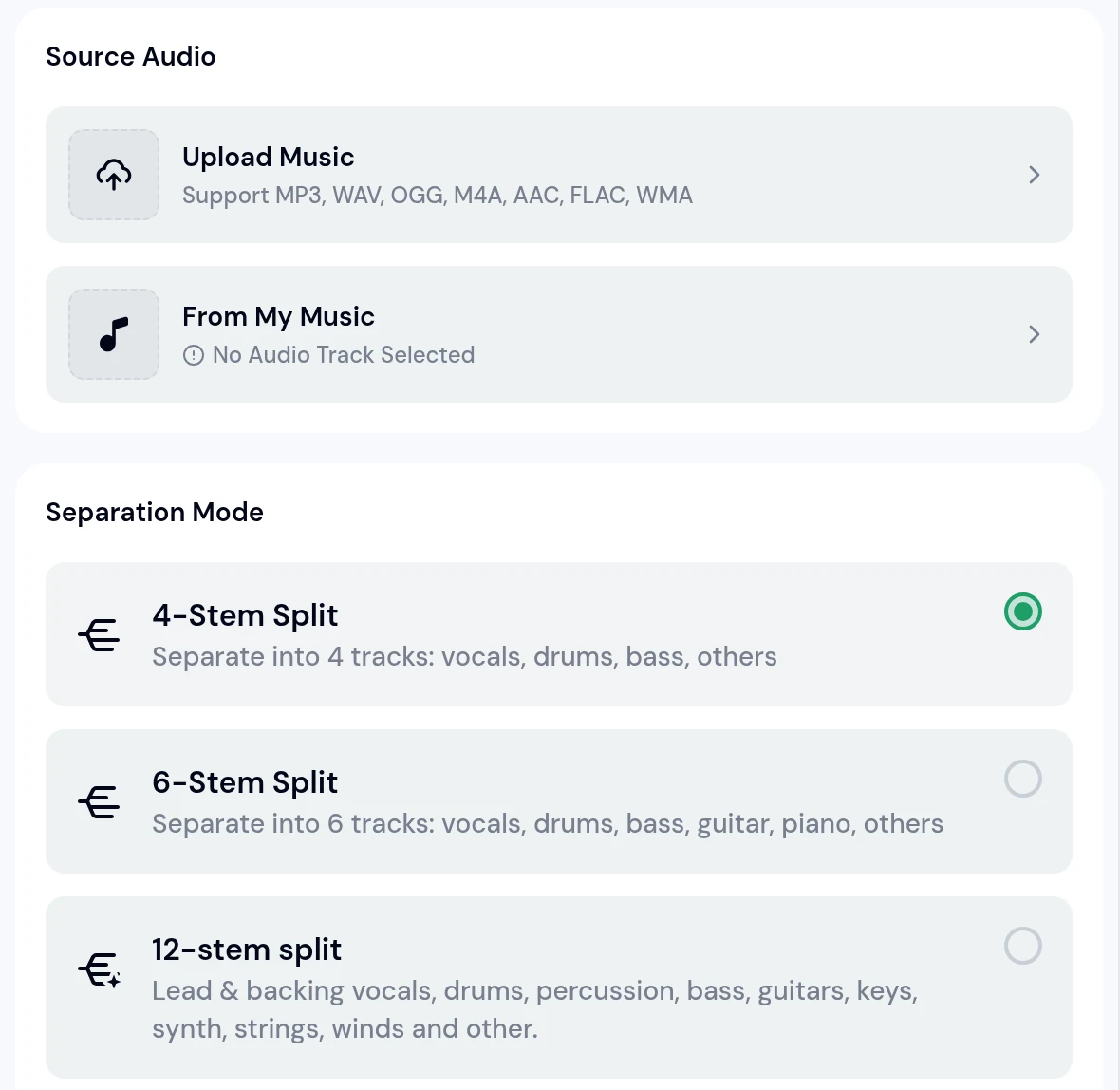
Stem splitting is one of the jobs the best AI for music production handles, and remixers rely on it. Upload MP3, WAV, OGG, M4A, AAC, FLAC or WMA, or pick a song from My Music, then choose how many parts you need.
For example, a funk record you want to flip into a house edit.
AI Music Mastering is the last stop in the best AI for music production on MusicArt. It works from two files, the track you made and a track whose sound you like.
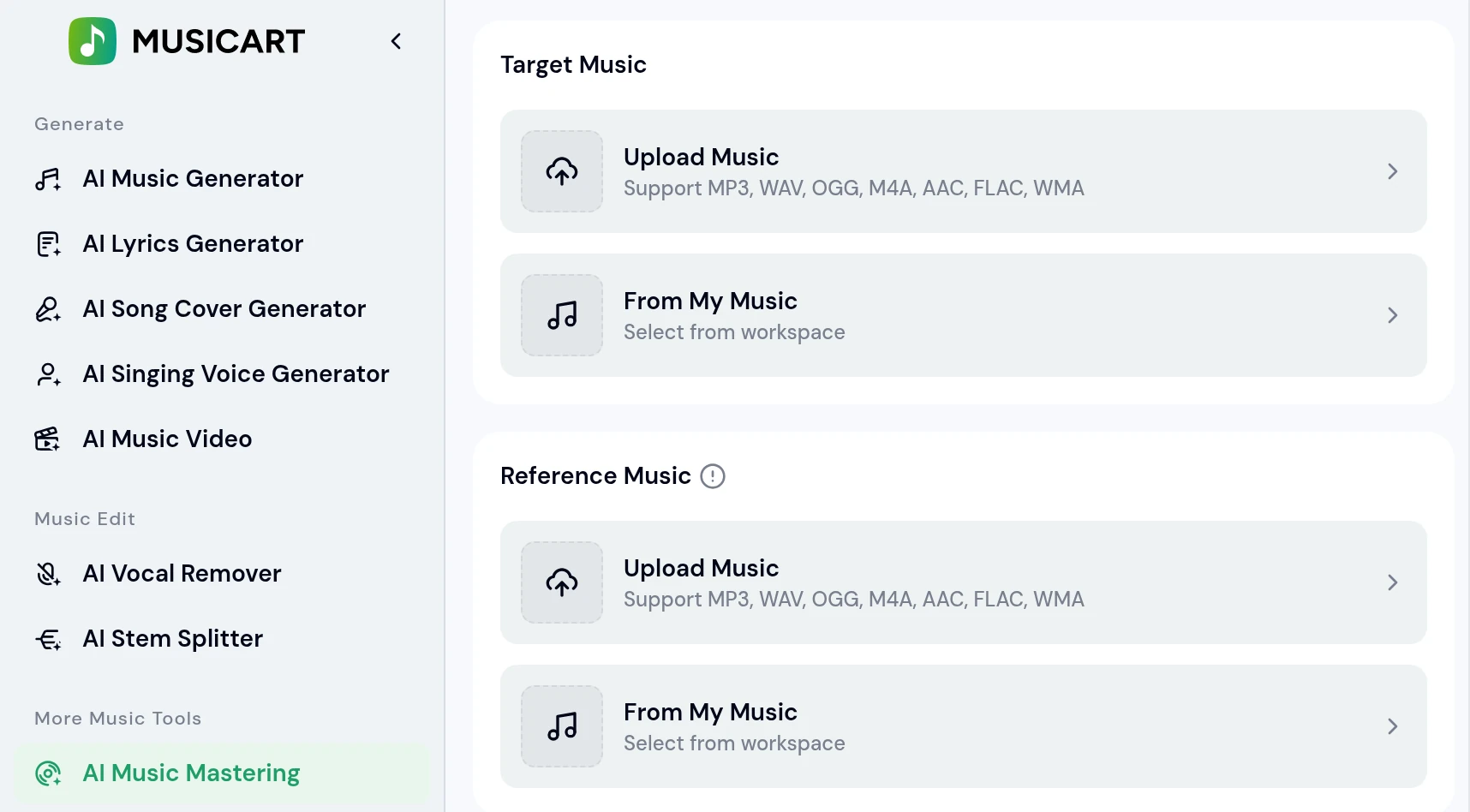
The song you want mastered, uploaded or picked from My Music.
Examplea bedroom pop mix that sounds quiet next to the radio
A finished song with the sound you are aiming for.
Examplea bright pop single you love
A mastered track you can compare before and after, with gains in
Four steps carry a track through the best AI for music production on MusicArt, all in one browser tab.
Describe the track in AI Music Generator and press Generate.
Examplelofi hip hop, dusty drums, mellow Rhodes, instrumental
Play the results and save the one you like in My Music.
Resultone track saved to your library
Change a lyric in AI Music Editor or split parts in AI Stem Splitter.
Exampledrums and bass as stems for a remix
Run AI Music Mastering, then download MP3, WAV or FLAC.
Resulta WAV master ready to release
A song from the best AI for music production on MusicArt is never final after the first version. Open My Workspace and pick a move.
Make a song you generated longer, from My Workspace › Remix.
Examplea short dance track for a full DJ set
ResultA longer version of the same song.
Combine a Primary Track and a Secondary Track, with Smart Mashup Lyrics.
Exampleyour folk song with your synth pop song
ResultA new song built from both.
Select a line and write the words you want sung instead.
Exampleput the city name into the hook
ResultThe same melody with your new words.
Pick style chips to hear the song in another genre.
Examplea pop ballad as a disco track
ResultA disco version of your ballad.
Short answers about the best AI for music production on MusicArt.
One that helps from the first idea to the final master. MusicArt covers generating, editing, stem splitting, EQ and mastering in one place, which is why producers look at it as the best AI for music production in a browser.
Yes. AI Stem Splitter offers 4-Stem Split, 6-Stem Split and a 12-stem split for any song, and AI Multi-Stem Split can split a song you generated into up to 12 stems.
Yes. Upload your track as Target Music in MP3, WAV, OGG, M4A, AAC, FLAC or WMA, add a Reference Music file and compare before and after.
Yes. AI Music Editor has a Replace Lyrics box for the lines you select, plus Style chips to try another genre.
MusicArt is a web version that opens in any browser on a computer, tablet or phone, with nothing to install.
MP3, WAV and FLAC audio, with a Commercial License in the same Downloads menu.
Start with a prompt and finish with a master. The best AI for music production on MusicArt brings every step into one browser tab.