The installer
Tried fiddling with settings to run .exe files but still this won't run to install.
Nothing to download. The remover is a web page.
Open it in your browser on Windows or Mac, drop in a song, and get two tracks back: the vocals and the instrumental. No installer, no graphics card settings, no command line.
Remove Vocals NowBoth songs were made in the AI Music Generator, so they sit in My Music. Pick one with From My Music and split it into a karaoke track and a vocal track.
Four things PC users keep running into with desktop separation apps, in their own words, and what happens in the browser instead.
Tried fiddling with settings to run .exe files but still this won't run to install.
Nothing to download. The remover is a web page.
im not able to use the gpu conversion option because i have a radeon graphics card
Separation runs online, so your GPU is not part of the job.
For those that don't want to learn the command prompts
No scripts, no Python, no ffmpeg. Buttons only.
I can't even select any songs.
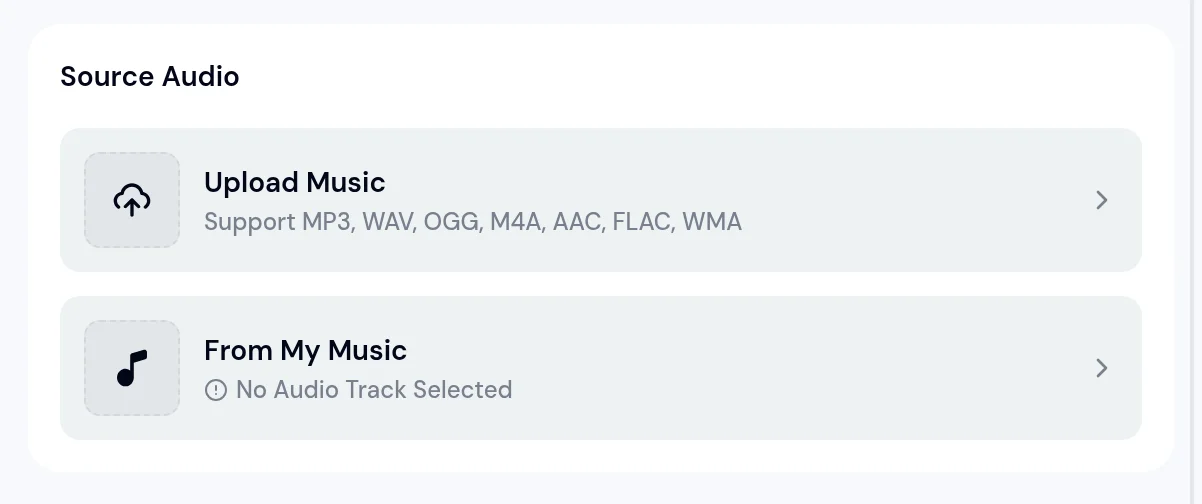
Upload Music opens your usual file picker, or pick a song from My Music.
Quotes from music production forums.
The AI vocal remover for PC takes two ways in. Upload a file from your Downloads or Music folder, or choose a track you made on MusicArt.
MP3 WAV OGG M4A AAC FLAC WMA
A desk, a pair of headphones and a USB mic are enough for these.
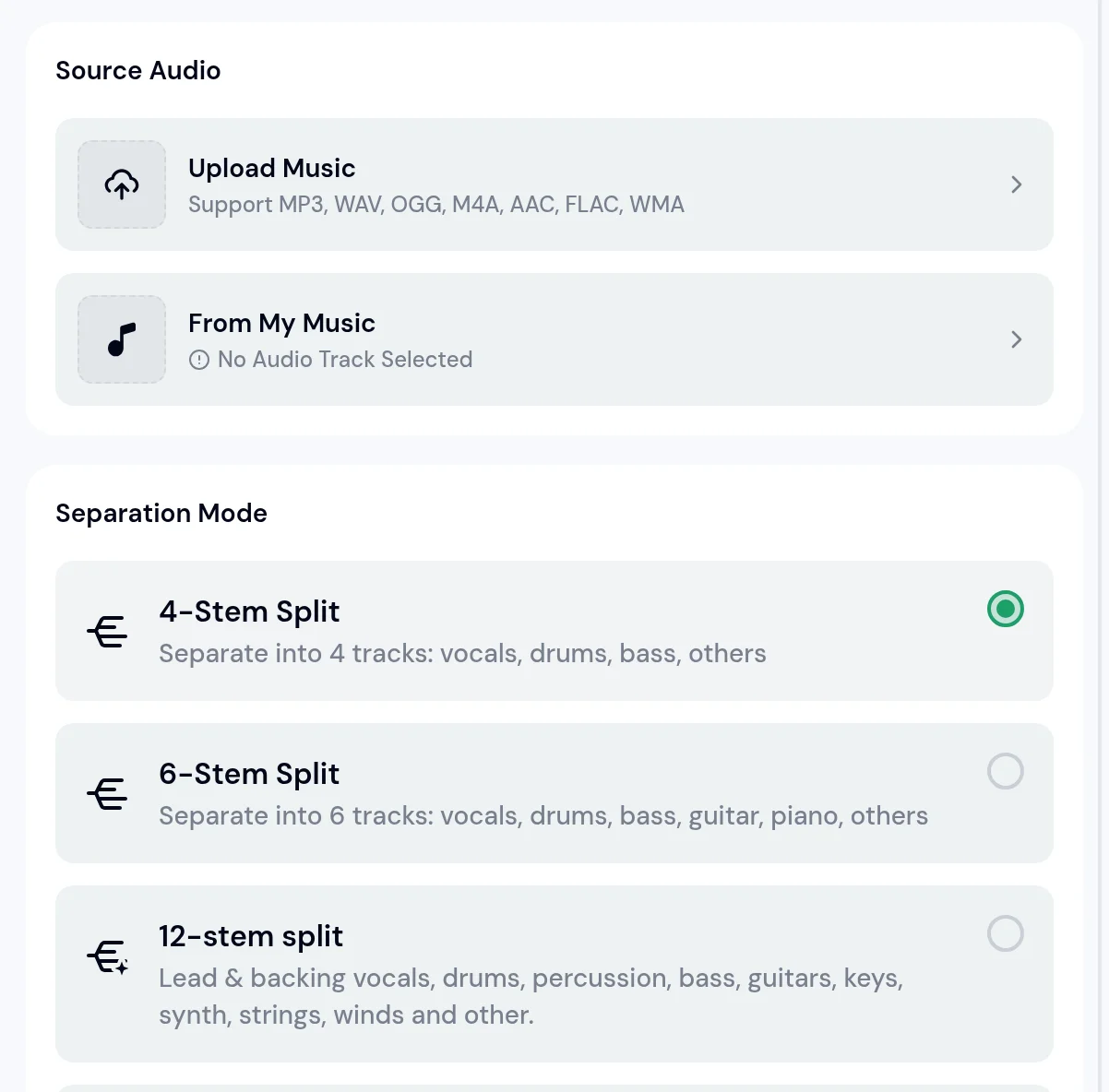
Want the drums or the bass on their own too? The AI Stem Splitter uses the same Source Audio panel and adds a Separation Mode.
| 4-Stem Split | vocals, drums, bass, others |
|---|---|
| 6-Stem Split | vocals, drums, bass, guitar, piano, others |
| 12-stem split | lead and backing vocals, drums, percussion, bass, guitars, keys, synth, strings, winds and other |
Open the page in your browser Go to the AI Vocal Remover in the browser you already use on your PC.
Add the song Click Upload Music and pick the file, or choose a track from My Music.
Start the separation Run it and wait for the two tracks to appear.
Play and save Listen to the vocals and the instrumental, then keep the one you need.
No. The AI Vocal Remover opens in a browser tab on Windows or Mac, with no installer and no setup.
No. The separation runs online, so a laptop with integrated graphics works the same as a gaming PC.
MP3, WAV, OGG, M4A, AAC, FLAC and WMA. You can also pick a song you made on MusicArt from My Music.
Two tracks: the vocals on their own and the instrumental without the vocals.
Separate the whole song, then trim the section you need from the instrumental in any audio editor.
Yes, with the AI Stem Splitter. Its 4-Stem Split gives vocals, drums, bass and others.